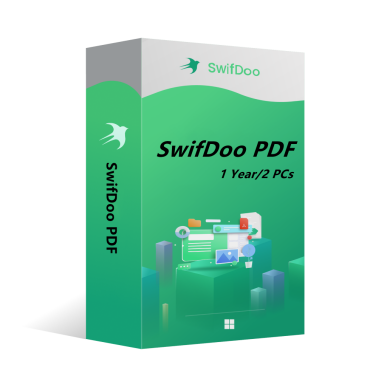
SwifDoo PDF Annual Plan 2PCs 1 Year CD Key Global
55.49EUR
69.00EUR


 -84%
-84% -37%
-37% -38%
-38% -89%
-89%SwifDoo PDF je komplexní editor PDF. Program obsahuje mnoho dalších nástrojů pro práci s PDF. Kromě funkce editoru nabízí různé možnosti převodu PDF do editovatelnějších formátů, jako jsou soubory Word a PowerPoint, a můžete ušetřit místo kombinováním jednotlivých PDF dokumentů do jednoho souboru.
Klíčové funkce SwifDoo PDF zahrnují:
l Prohlížení a úprava PDF dokumentů.
l Komprimace PDF dokumentů.
l Převod PDF souborů do jiných formátů.
l Rozdělování a spojování více PDF souborů.
l Podepisování a ochrana PDF dokumentů heslem.
l Přidání/Odebrání vodoznaků v PDF dokumentech.
l OCR
OS: Win 11, 10, 8, 7, a XP (32 & 64)
Typ licence: 1 licence pro 2 PCs
Aktivační kód je "1-Year Pro" licence, která podporuje 2 PCs s ochranou aktualizací verzí. V takovém případě není třeba platit další poplatky za aktualizaci aktuální verze na každou pozdější verzi během 1 roku.
Jak nainstalovat SwifDoo PDF:
Spusťte instalační program -> Přijměte licenční smlouvu -> Vyberte umístění instalace -> Postupujte podle průvodce instalací -> Dokončit
Online registrace
Po získání licenčního klíče SwifDoo PDF, navštivte uživatelské centrum na https://www.swifdoo.com/usercenter a zadejte kód pro aktivaci. Zkopírujte aktivační kód, který jste obdrželi, vložte jej do pole Redeem-Code a stiskněte Odeslat. Tímto způsobem dokončíte online registraci.
Poznámky
Pro úspěšnou registraci se ujistěte, že v aktivačním kódu nezůstala žádná prázdná místa.